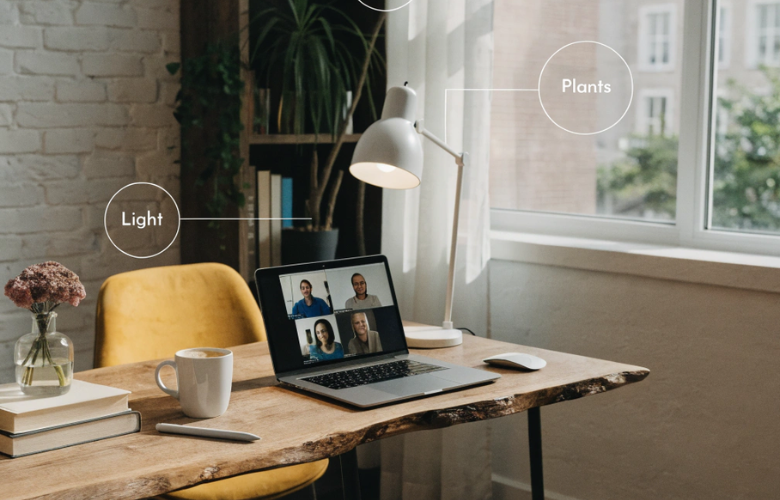
Working from home sounds ideal until you realise your kitchen table wasn’t designed for eight-hour stretches. But, with a bit of thought, you can shape a space that helps you focus and stay comfortable. The right space should also separate work from everyday life without turning your whole home upside down.
Planning your workspace layout
Start by choosing a spot that suits how you work each day. If you take regular calls, you’ll benefit from a quieter corner away from household noise. If your tasks rely on reading or detailed work, position your desk near a window so natural light reduces eye strain and lifts your mood. Ideally, you’ll have the option of a separate room – but that’s not realistic for everyone.
Pay attention to how you move around the space. You should be able to reach essentials – like notebooks, chargers and files – without constantly getting up or twisting awkwardly. A simple change, such as placing your printer within arm’s reach instead of across the room, can save time and keep your workflow steady. Map out your layout before moving furniture.
Choosing the right furniture and ergonomics
Your body will quickly tell you if something isn’t working. A supportive chair with adjustable height helps you sit with your feet flat on the floor, which reduces pressure on your lower back. Your screen should sit at eye level so you don’t hunch forward by the afternoon.
Desk choice matters more than people expect. A fitted desk helps to use every inch of a small room, especially if you’re working with alcoves or awkward corners. It creates a clean line across the space and gives you enough surface area for your laptop, notes and a cup of tea without feeling cramped.
Essential technology and connectivity
Reliable tech keeps your day running smoothly. Slow broadband can turn a quick video call into a frustrating experience, so it’s worth checking your speed and upgrading if needed. If your Wi-Fi struggles in certain rooms, a signal booster can make a noticeable difference.
Think about how you actually work, too. If you switch between tasks, a second monitor can help you avoid constant tab juggling. A decent headset improves sound quality on calls, which makes conversations clearer and less tiring. Even small upgrades, like a proper keyboard and mouse, can ease strain on your wrists over time. If it’s for the long term, invest in tools and equipment that support your routine.
Personalising your space for productivity
A workspace should feel like somewhere you want to sit down each morning. Adding a few personal touches – like a framed print or favourite plant – can make the area feel more inviting without becoming distracting.
Organisation plays a big role too. When everything has a place, you spend less time searching and more time getting on with your tasks. For example, a simple folder or tray for paperwork can stop documents from piling up across your desk.